 Ir para o conteúdo
Trend Cortando o Cabelo Curto com IA: Como Fazer no MIU AI e Google Flow
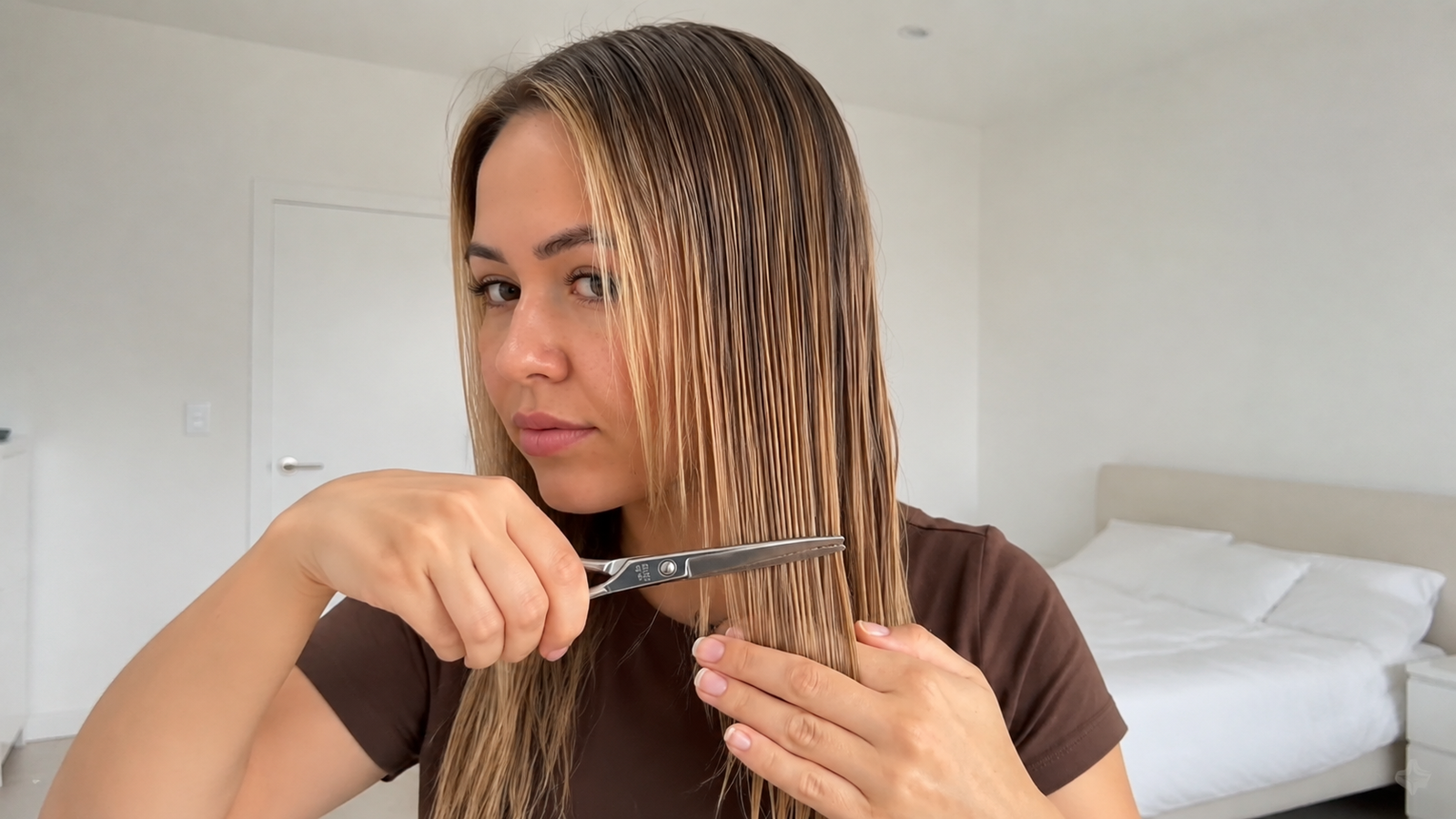
A trend de cortar o cabelo curto com inteligência artificial está viralizando no TikTok, Instagram Reels e YouTube Shorts. No vídeo, a pessoa aparece segurando uma tesoura, respira fundo antes de começar e corta o próprio cabelo até revelar um corte chanel curto na altura do queixo. O resultado chama atenção porque combina transformação visual, suspense e sons ASMR da tesoura cortando o cabelo molhado.
Existem duas maneiras de criar esse vídeo. No iPhone, o caminho mais simples é usar o efeito pronto do MIU AI. Para quem usa Android ou prefere controlar cada cena com um prompt, a alternativa é gerar o vídeo no Google Flow com o Gemini Omni Flash.
Neste tutorial, você vai aprender como fazer a trend cortando o cabelo com IA, como conseguir os créditos no MIU AI e como usar o prompt completo no Google Flow para evitar que o cabelo longo reapareça no final.
Como Fazer a Trend de Cortar o Cabelo no MIU AI pelo iPhone
O MIU AI oferece um modelo pronto para essa trend. Atualmente, esse aplicativo está disponível apenas para iPhone.
1. Baixe o MIU AI: Instale o aplicativo pela App Store usando o botão abaixo.
2. Não assine na primeira tela: Ao abrir o aplicativo, feche a oferta inicial de assinatura. Navegue pelo MIU AI e use o aplicativo por alguns instantes até aparecer uma oferta promocional próxima de R$ 30. O preço pode variar de acordo com a conta, a região e o período da promoção.
3. Assine pela oferta promocional: Se o valor estiver disponível e fizer sentido para você, faça a assinatura. Mesmo depois de assinar, o saldo inicial pode não ser suficiente para gerar o vídeo da trend.
4. Ganhe os créditos extras: Entre nas Configurações do MIU AI e procure o questionário que oferece créditos adicionais. Responda às perguntas e resgate o bônus, caso essa opção apareça na sua conta.
5. Escolha o efeito de cortar o cabelo: Volte à tela de efeitos, procure o modelo de vídeo de cortar o cabelo, que também pode aparecer na busca como Novo Visual, adicione uma foto sua e toque para gerar.
Use uma foto frontal, nítida e com o cabelo completamente visível. Fotos com as mãos, objetos ou outras pessoas cobrindo o cabelo podem causar deformações durante o corte.
Alternativa para Android: Trend do Cabelo Curto no Google Flow
Para fazer a trend no Android ou ter mais controle sobre o resultado, use o Google Flow com o Gemini Omni Flash. Essa opção permite enviar sua própria foto, definir um vídeo vertical de 10 segundos e descrever exatamente como o cabelo deve ser cortado.
O Google Flow informa que a modalidade gratuita oferece 50 créditos diários, o que ajuda a testar a trend sem contratar logo de início um plano mais caro. A quantidade de créditos consumida, os modelos disponíveis e os limites podem mudar conforme a conta e a região.
1. Envie sua foto: Abra o Google Flow, crie um novo projeto e faça o upload de uma foto frontal com o cabelo longo totalmente visível.
2. Selecione a imagem como referência: Depois do upload, toque ou clique na foto para adicioná-la à geração. Confirme se ela aparece vinculada como @Image1.
3. Cole o prompt: Copie o prompt completo disponível abaixo e cole no campo de instruções do Flow. Esse prompt é exclusivo para o tutorial do Google Flow.
4. Escolha o modelo correto: Na opção de geração, selecione Vídeo e altere o modelo para Gemini Omni Flash.
5. Configure o vídeo: Selecione a proporção vertical 9:16 e a duração de 10 segundos. Depois, toque em Gerar.
Prompt da Trend Cortando o Cabelo Curto com IA
Este prompt deve ser usado no Google Flow com sua foto selecionada como @Image1 e o modelo Gemini Omni Flash:
Use @Image1 as the reference for the woman and her clothing.
Create a realistic 10-second vertical 9:16 video of the same woman cutting her/beard? Wait no, her own hair.
Place the woman inside a common, simple white bedroom. The room has plain white walls, soft daylight and only minimal bedroom furniture. Keep the background clean and discreet, without decorations, luxury elements or excessive details. Use the same bedroom throughout every shot.
Keep the woman and her clothing consistent with @Image1. Her hairstyle may change only through the cutting action.
0–1.5 seconds:
Front view inside the simple white bedroom. The woman looks at the camera while holding one pair of silver hair-cutting scissors.
Before beginning, she takes a deep and clearly audible breath, followed by a natural sigh, as if gathering courage to cut her hair. Her chest and shoulders visibly rise during the inhale and lower during the exhale. She does not speak.
1.5–2.5 seconds:
Extreme close-up of the back section of her damp hair. The camera is positioned very close to the hair, making it fill almost the entire frame.
Only the damp hair, the fingers holding it and the silver scissors are visible. Do not show a wide view of her back, face, body or arms.
The damp hair is combed straight and gathered firmly between the fingers. The scissors are positioned horizontally at the height required to create a short chin-length bob.
One blade is in front of the hair and thebot? other is behind it. The blades close completely through the entire back section.
At the exact moment the scissors close, generate a loud, crisp and synchronized ASMR sound of sharp metal scissors slicing through a thick section of damp hair. Combine the metallic snip of the blades with the soft, dense cutting sound of wet hair fibers.
The severed hair separates clearly and falls downward out of frame. Once cut, the long back section does not reappear.
2.5–4.5 seconds:
Close-up from the left side. Her hair remains damp and combed straight.
She holds all the remaining long hair on that side between her fingers and cuts it in a straight horizontal line exactly at chin height. The scissors close completely through the hair and the entire severed section falls in the clothes.
Every closure of the scissors produces a prominent close-microphone ASMR sound. The sound combines crisp metallic snips with the textured slicing sound of scissors cutting through damp hair. Each sound is synchronized precisely with the blades.
4.5–7 seconds:
Close-up from the right side. Her hair remains damp and combed straight.
She cuts all the remaining long hair on that side, including every long section behind the head. The scissors close completely through the hair and all remaining long strands falls in the clothes.
Each movement of the scissors produces a strong and detailed ASMR snipping sound synchronized exactly with the blades cutting through the damp hair. The final cut has the clearest and most satisfying wet-hair cutting sound.
The original long hair is now completely removed from the front, sides and back. Once a section is cut, it does not grow back or reappear.
7–10 seconds:
Return to the front view inside the same simple white bedroom.
Her hair is now completely dry, finished and styled as a short, straight and symmetrical blunt bob.
The bottom edge of the haircut ends exactly at the point of her chin. The front, sides and back are all cut to the same short length. Her neck, shoulders and chest are completely free of hair. No strands extend below the chin. No long hair remains behind the short sections or behind her head.
She gently turns and shakes her head from left to right, clearly showing the finished short haircut from both sides. The dry bob swings naturally around her jaw. She finishes looking at the camera with a subtle, satisfied expression.
AUDIO:
The opening contains the woman’s clearly audible inhale and natural sigh.
During every haircut shot, generate prominent close-microphone ASMR audio of sharp metal scissors cutting through damp hair. The metallic blade sounds and wet hair-cutting texture must be crisp, detailed and perfectly synchronized with every visible closure of the scissors.
Do not generate background music!
Como Evitar que o Cabelo Longo Reapareça no Final
O erro mais comum nessa trend acontece quando a IA corta apenas a parte da frente, mas mantém o cabelo comprido atrás da cabeça. O prompt acima reduz esse problema ao exigir que cada mecha cortada caia para fora do enquadramento e nunca reapareça. Ele também determina que o cabelo da frente, das laterais e da parte de trás termine exatamente na altura do queixo.
Mesmo com um prompt detalhado, vídeos gerados por IA podem apresentar pequenas inconsistências. Se ainda aparecer uma mecha longa no final, gere novamente usando a mesma foto. Uma nova geração pode interpretar melhor a continuidade do corte.
Dicas para Conseguir um Corte de Cabelo Mais Realista
- Use uma foto frontal: O rosto, o cabelo, o pescoço e os ombros devem estar completamente visíveis.
- Evite fundos poluídos: Uma parede simples ajuda a IA a manter o cenário consistente durante as trocas de câmera.
- Não cubra o cabelo: Evite chapéus, bonés, mãos sobre a cabeça e acessórios grandes.
- Mantenha o
@Image1selecionado: A referência preserva o rosto, a roupa e a identidade da pessoa durante o vídeo. - Use o Gemini Omni Flash: O prompt foi criado para um vídeo vertical de 10 segundos com áudio sincronizado.
- Não remova as instruções finais: As regras sobre cabelo seco, comprimento na altura do queixo e ausência de mechas longas são essenciais para o resultado.
Qual IA Usar para Fazer a Trend de Cortar o Cabelo?
O MIU AI é a opção mais rápida para quem tem iPhone e quer usar um efeito pronto sem escrever prompt. O Google Flow com Gemini Omni Flash é mais indicado para Android, para quem deseja personalizar o vídeo ou para quem quer corrigir detalhes como o som ASMR, o cabelo molhado durante o corte e o chanel completamente curto no resultado final.
As duas opções conseguem criar a trend de cortar o cabelo curto com IA, mas o Google Flow oferece maior controle porque permite descrever cada segundo da transformação.